
Bring the Back.
Remember the fun you had with step sequencers back then? Jamstep brings it back, with a multitrack tape that keeps recording in a loop while you overdub, a mighty chip synth, two samplers and two drum machines.
macOS · App and VST3
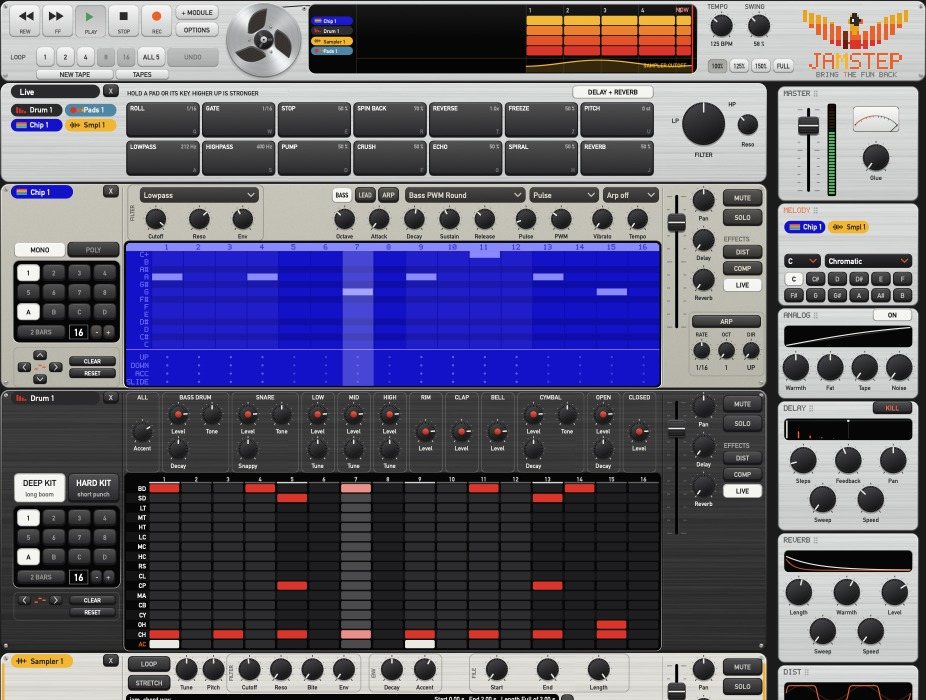
Just jam. The tape keeps it all.
Press play and poke at steps until something grooves. The tape records the whole time, in a loop you can play over again and again. Pick the best bits later, and there are no menus in the way.
Step sequencers, like back then
Click a step, hear it. Drag along a lane, hear it. Sixteen steps a bar, two bars if you like.
A multitrack tape that keeps going
Every step, every knob, every mute lands on tape, one lane per machine. Loop the last bars whenever you want.
Overdub, round after round
Play over the loop: ride a filter, add a fill, drop the drums for a bar. Undo takes back the last pass.
Sample anything. Then step-sequence it.
Your own sounds get the same step-sequencer fun as the drums and the chip. Load a vocal, a chord, a field recording or your favourite one-shots and program them step by step, right in the same grid. One sampler plays a sound as notes, the other builds a kit from many.
And a Multi-Sampler.
A kit of your own: put your one-shots on the lanes and program them in the same grid. Each lane keeps its file, level and tune.
Swipe sideways to see the whole machine
Hold. Play. Let go.
Fourteen pads that only work while you hold them, on everything that plays: roll, freeze, reverse, spin back, filters, echo and more. The higher you press, the stronger. Let go and the groove is back.

Effects that move with the beat.
Every machine has its own sends, and the master has a rack of cards: Melody changes the key of the Chip and the Sampler while it plays, Delay and Reverb swing with the beat, Glue and the compressor hold it all together.
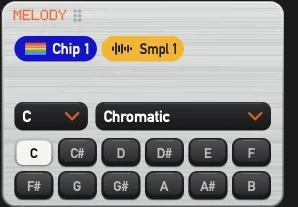
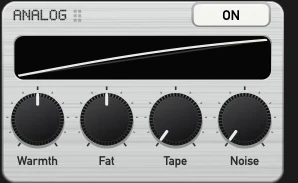
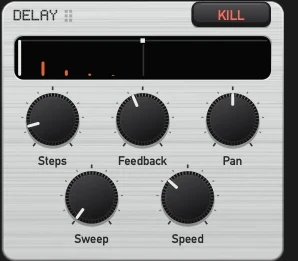
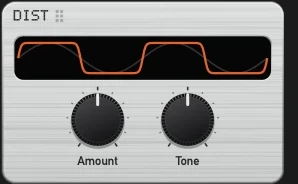
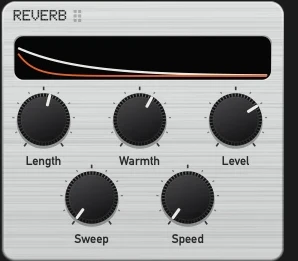
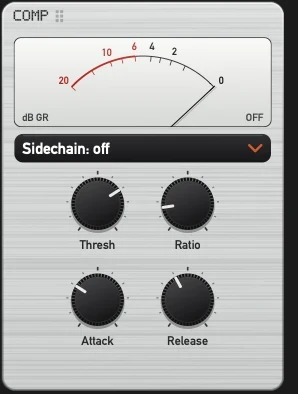
Drag the effect cards into any order. Each one shows what it is doing right now.
Delay counts in steps, Reverb and Delay sweep with the groove, the compressor listens to the drums if you like.
An analog stage and a tape for the whole mix, then Glue to hold it together.
A warm engine of its own.
Jamstep does not play back samples of old machines. It builds its sounds itself. The jam in the video at the top came straight out of it, nothing added.
Each machine runs through its own converter and amplifier stage with slightly different part values, then all meet on a bus with soft compression and a saturation that softens the highs the louder it gets.
The tape stage follows a model of magnetism from physics, at twice the sample rate, with the bass bump and the loss of highs at the gap. The harder you drive it, the more it glues.
The drum voices are synthesised circuits, the chip voices run on a core measured note for note. The plate reverb and the bus compressor are Jamstep's own too.
Good to know.
Do I need a DAW?
No. Jamstep is a Mac app of its own. The full version also comes as a VST3 plugin for your DAW.
Which Macs does it run on?
Macs with Apple Silicon and macOS 11 or later. Intel Macs and Windows are not supported yet.
Does the tape record audio?
It records what you do: steps, knobs, mutes, patterns and notes. So every loop stays editable, and you can still change the sound later.
Is that the real app?
Yes. Everything that moves on this page was recorded straight from Jamstep while it played a jam. Nothing was drawn in afterwards.
What does the demo leave out?
Saving and export. A session ends after ten minutes, then you restart and play on.
Does it work with my controller?
Most likely. MIDI learn maps knobs, faders, buttons and pads with one click, and every machine has its own MIDI channel.